How to create digital products to sell on Etsy (2026)
How to create digital products to sell on Etsy (2026)
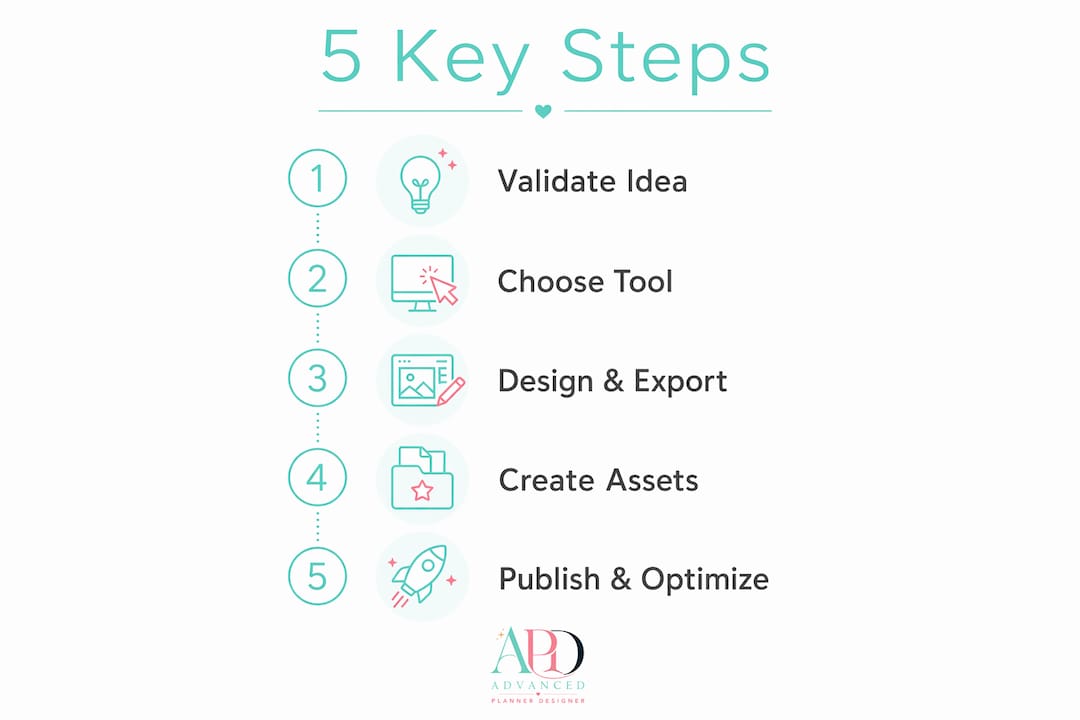
You can create, list, and sell a profitable Etsy digital product using this five-step process: research a niche, create the product, prepare your files and licence, build your mockups and listing assets, then publish and market. That’s the whole workflow. Most first products take between one and four hours to build, and once live, they sell without any extra effort from you.
Your five-step checklist:
- Step 1 — Research your niche: Use Etsy’s autocomplete and a keyword tool to confirm buyers are searching for your idea before you build anything.
- Step 2 — Create the product: Match your product type to the right tool (Canva for templates, Inkscape for SVGs, Advanced planner designer for planners and mockups).
- Step 3 — Prepare files and licence: Export at the correct resolution and format, package into a ZIP or template link, and write a short licence statement.
- Step 4 — Build listing assets: Create at least five mockup images, write a keyword-rich title, fill all 13 tags, and draft a clear description.
- Step 5 — Publish and market: Upload files or a hosted-link PDF, run a test buyer flow, then share on Pinterest or Instagram to drive early traffic.
In your first hour: open Etsy’s search bar, type your product idea, note the autocomplete suggestions, and sketch a one-sentence hypothesis: “[Buyer type] needs [product] to [job to be done].” That sentence guides every decision that follows.
Table of Contents
- What counts as a digital product on Etsy?
- What you need to know before you create: files, fees, and Australian tax basics
- How to create digital products to sell on Etsy: a five-step walkthrough
- What are the best digital product ideas to test on Etsy?
- How do you make listing images that actually convert?
- Building a sellable planner with Advanced planner designer: a founder walkthrough
- Common mistakes new Etsy digital sellers make
- Key takeaways
- The part most guides won’t tell you
- Advanced planner designer cuts your time from idea to listing
- Useful sources and further reading
What counts as a digital product on Etsy?
A digital product on Etsy is any file a buyer downloads instantly after purchase. No shipping, no stock, no handling. Etsy automates delivery the moment payment clears, which is exactly why digital products are so well-suited to passive income.
The most common formats fall into a few clear categories:
- Printables (PDFs): planners, worksheets, wall art, calendars, kids’ activity sheets.
- Editable templates: Canva share links, Google Docs/Slides files, or browser-editable designs via platforms like Corjl.
- SVG cut files: scalable vector graphics for Cricut and Silhouette cutting machines.
- Digital planners: hyperlinked PDFs designed for apps like GoodNotes or Notability.
- Clipart and sticker sheets: PNG files with transparent backgrounds for digital journalling.
- Notion templates: pre-built databases and dashboards for productivity.
- Ebooks and presets: guides in PDF format, or Lightroom/Photoshop preset files.
The format shapes what buyers expect. A printable buyer wants a high-resolution PDF they can send straight to a printer. A template buyer wants an editable file they can personalise. A cutting-machine buyer needs clean vector paths that won’t break in Cricut Design Space.
One rule applies to every format: you must own the work or hold a commercial licence for every asset inside it. Fonts, graphics, photos, and illustrations all carry licence terms. Check them before you sell.
What you need to know before you create: files, fees, and Australian tax basics
Getting the practical constraints right before you open a design tool saves a lot of rework. Here’s what matters most.

Etsy’s file rules
Etsy accepts up to five digital files per listing, with a 20MB limit per file. Accepted formats include PDF, JPEG, PNG, GIF, SVG, ZIP, and MP4. If your product bundle exceeds those limits, the standard workaround is to upload a small PDF containing a Google Drive or Dropbox link. Test that link as a buyer would before you publish, because a broken link is the fastest way to earn a one-star review.
Pro Tip: For Canva templates, share a template link rather than uploading the source file. This forces buyers to create their own copy and protects your original design from being edited and re-sold.
Etsy fees: a real example
Etsy’s listing fee is US$0.20 per listing. On top of that, transaction fees and payment processing apply. For an Australian seller pricing a product at AU$20, the fee structure works roughly like this:
| Fee type | Rate | Amount on AU$20 sale |
|---|---|---|
| Listing fee | US$0.20 flat | — |
| Payment processing | ~3% | — |
Rates can shift with currency conversion, so model your pricing in Etsy’s fee calculator before you set a final price. Setting your shop currency to Australian dollars avoids an additional 2.5% conversion fee on every sale.
Australian tax basics
If your Etsy income crosses the AU$75,000 GST registration threshold in a 12-month period, you are required to register for GST with the Australian Taxation Office. Below that threshold, registration is optional. Keep records of every sale and fee from day one — a simple spreadsheet works fine at the start. This is general information only; confirm your own obligations with a registered tax agent or the ATO directly.
Licence checklist for your listings
Every digital product listing should state clearly what buyers can and can’t do with the files:
- Personal use only: buyer can use the files for themselves, not for commercial purposes.
- Limited commercial use: buyer can use files in products they sell, within defined limits (e.g. up to 500 units).
- No resale of the digital file itself: buyers cannot re-sell, redistribute, or claim the design as their own.
Check the licence on every font, graphic, and photo asset you use. Free doesn’t mean commercial-use-permitted. Read the terms, not just the price tag.
How to create digital products to sell on Etsy: a five-step walkthrough
This is the full process from idea to a live, optimised listing.
Step 1: Validate the idea before you build
The biggest mistake new sellers make is creating a product nobody is searching for. Spend 20 minutes on research before you open any design tool.
- Type your product idea into Etsy’s search bar and note every autocomplete suggestion — those are real buyer searches.
- Check a keyword tool like eRank or Marmalead to get a rough sense of monthly search volume and competition.
- Look at the top listings in your niche. A listing with 2,000+ reviews confirms buyers are purchasing this type of product.
- Write your hypothesis: “Australian small business owners need a Canva invoice template to send professional invoices without hiring a designer.” That sentence keeps your design decisions focused.
Validating demand before creating prevents the most common failure mode: building a broadly appealing but shallow product that doesn’t solve a specific buyer problem.
Step 2: Choose the right tool
Match the tool to the product type. Starting free is fine.
- Canva (free plan): covers printables, social media templates, ebooks, and simple planners. The free plan handles the vast majority of template creation needs for beginners.
- Inkscape (free) or Adobe Illustrator: for SVG cut files. Inkscape is a capable free alternative to Illustrator for most SVG work.
- Procreate or Photoshop: for hand-drawn art, clipart, and textured graphics.
- Google Docs or Slides: for document templates, resume templates, and simple planners.
- Advanced planner designer: for digital planners, journals, covers, sticker sheets, and mockups, all generated in a single workflow.
File settings matter. Export printables at 300 DPI minimum. Offer both A4 and US Letter sizes to serve Australian and international buyers. For SVGs, convert all text to outlines and test the file in Cricut Design Space before listing.
Step 3: Design, export, and package
Design with the buyer’s use case in front of you, not just the aesthetics. A planner buyer needs logical page flow and working hyperlinks. A template buyer needs editable text boxes, not locked layers.
When exporting:
- PDFs for printables and digital planners (preserves layout and fonts across devices).
- PNG with transparent background for clipart, stickers, and logos.
- ZIP files to bundle multiple formats (SVG + PNG + DXF for cut files).
- A template share link for Canva or Google Docs files.
Name your files clearly: ProductName_A4_v1.pdf is far better than final_FINAL2.pdf. Buyers see filenames, and clear names reduce support questions.
One important note on Canva templates: avoid using paid Canva elements unless you explicitly state in your listing that buyers need a Canva Pro account. A buyer who can’t access a Pro element will ask for a refund.
Step 4: Create your listing assets
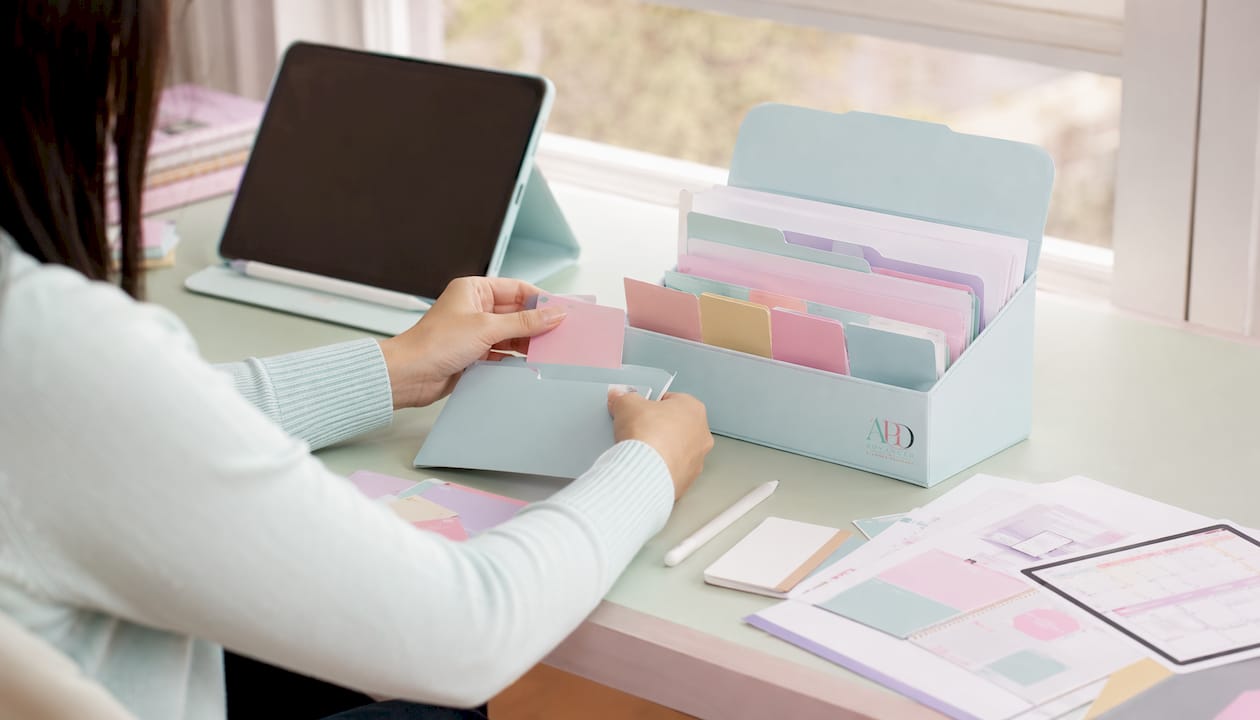
Mockups are your product photography. Because buyers can’t touch a digital file, your images carry the entire burden of communicating quality and value. The Etsy Seller Handbook is clear on this: outstanding listing photos do the heavy lifting for digital items.
Minimum image set for a digital product listing:
- Main thumbnail: clean, lifestyle-contextual image (planner on a desk, wall art in a styled room).
- Detail shot: close-up showing design quality and typography.
- Multi-page preview: shows the full scope of what’s included.
- Instructions image: explains how buyers receive and use the files.
- Bonus shot: a device mockup (iPad for digital planners) or a flat-lay with props.
Etsy allows up to 10 images per listing. Use as many as you can fill with genuinely useful content.
Step 5: Publish and optimise
Title formula: Primary keyword phrase + secondary keywords + key attributes, front-loaded into the first 40 characters. Etsy gives you 140 characters — use at least 120.
Tags: fill all 13. Use multi-word phrases that describe the product, the buyer, and the occasion. Never repeat the same word across multiple tags.
Description structure:
- Opening hook: what makes this product useful (two to three sentences).
- What’s included: file types, sizes, page count.
- How it works: download steps, software required.
- Licence: what buyers can and can’t do.
- Support: how to contact you with questions.
Pricing by product type (starter and established bands):
| Product type | Beginner price | Established price |
|---|---|---|
| Single printable | $3–$5 | $5–$12 |
| Digital planner | $12–$20 | $20–$45 |
| Template bundle | $15–$20 | $25–$40 |
Start at the lower end, collect reviews, then raise your price. Psychological pricing works here: $9.99 outperforms $10 for entry-level products, and bundle pricing (three templates for $19 vs. $8 each) increases average order value without adding much creation time.
Before you hit publish, run a test buyer flow. Add the product to a cart, complete a test purchase if possible, and confirm the download link or file works exactly as described.
What are the best digital product ideas to test on Etsy?
Some product types consistently outperform others for new sellers. Here’s a prioritised list, with the easiest-to-start options at the top.
- Printable planners — high demand, evergreen, and easy to create in Canva or Advanced planner designer. Best starting point for most beginners.
- Canva templates for small businesses — invoice templates, social media kits, media kits. Businesses buy these repeatedly and leave good reviews.
- Digital sticker sheets — PNG files for GoodNotes and Notability users. Low creation time, high volume potential.
- Printable kids’ activities — colouring pages, learning worksheets, busy-book pages. Seasonal spikes (school holidays, Christmas) drive strong sales.
- Resume and cover letter templates — Google Docs or Canva. Job seekers are a motivated, price-sensitive buyer group.
- Wedding templates — invitations, seating charts, order-of-service cards. Higher price points and strong seasonal demand.
- SVG cut files — for Cricut and Silhouette users. Requires Inkscape or Illustrator, but competition is lower in niche themes.
- Notion templates — productivity dashboards, habit trackers, project planners. Growing fast among remote workers and students.
- Digital art prints — wall art in A4, A3, and US Letter. Requires stronger design skills but commands higher prices.
- Clipart bundles — themed PNG sets for teachers, bloggers, and other creators. Commercial-use licences attract repeat buyers.
- Ebook templates — Canva or Google Docs layouts for coaches and course creators. High perceived value, easy to bundle.
- Printable colouring books — adult and kids’ colouring pages. Low competition in niche themes; Advanced planner designer generates these quickly.
Easiest for first-time sellers: printable planners, digital stickers, kids’ activity sheets. These need minimal technical skill and sell well without a large back catalogue.
Needs more time or licences: SVG cut files (test in Cricut first), wedding templates (buyers expect polish), digital art prints (resolution and colour accuracy matter).
Starting with five to ten related products in a focused niche outperforms scattering 30 unrelated listings. Depth builds ranking and buyer trust faster than breadth.
How do you make listing images that actually convert?
Presentation is the single biggest lever new sellers underestimate. A mediocre product with great mockups will outsell a great product with poor images almost every time. Etsy tracks your listing’s click-through rate as a ranking signal, so a weak main thumbnail actively hurts your search position.
What your main thumbnail must do
The thumbnail is the only image buyers see in search results. It needs to communicate the product, the style, and the quality in under two seconds. Lifestyle context (a planner on a timber desk with a coffee cup) outperforms a plain white-background flat file image because it helps buyers picture owning the product. Aim for a minimum of 2000 x 2000 pixels, square crop, with your product filling at least 70% of the frame.
Mockup checklist by product type
- Digital planners: iPad or tablet device mockup showing the planner open in GoodNotes.
- Printable wall art: framed print in a styled room setting.
- Clipart and SVGs: layered preview showing individual elements, plus a finished-project example.
- Templates: before-and-after showing a blank template and a filled, styled version.
Advanced planner designer’s mockup generator produces listing-ready images directly from your planner or cover files, which cuts the time between finishing a product and publishing a listing significantly.
Pro Tip: Test which mockup drives the best click-through by renewing two versions of the same listing with different main images on alternate weeks, then comparing views-to-favourites ratios. Even a small paid Etsy Ads budget (AU$1–$2 per day) accelerates this test.
How many images and what sizes
Use all 10 image slots if you can fill them with genuinely useful content. Don’t pad with repetitive shots. A good set for a planner listing: main lifestyle mockup, device mockup, three to four interior page previews, an instructions image, and a size/format reference. For a complete guide to Etsy mockups, the APD blog covers composition, resolution, and tool options in detail.
Building a sellable planner with Advanced planner designer: a founder walkthrough
This is the workflow we use at Advanced planner designer to go from a planner idea to a live Etsy listing. It’s reproducible, and it’s faster than piecing together separate tools.
The APD workflow, step by step
- Choose a template: select a planner structure (daily, weekly, habit tracker, goal planner) from APD’s template library. This sets the page layout and hyperlink structure automatically.
- Generate planner content: APD’s AI fills in page content, section headers, and prompts based on your chosen theme. You review and adjust — the output is a starting point, not a final product.
- Create a matching cover: use APD’s cover generator to produce a coordinated cover in your colour palette. Matching covers lift perceived product quality immediately.
- Export files and mockups: export the planner as a hyperlinked PDF in A4 and US Letter, then generate mockup images directly inside APD. One export run produces the product file and the listing visuals together.
- Assemble the Etsy listing: use the exported mockups as your listing images, drop the PDF into the Etsy digital file upload, and use APD’s listing copy starter to draft your title and description.
Realistic time estimates
- Template selection and content generation: 15–30 minutes.
- Cover design and colour matching: 20–30 minutes.
- Review, adjustments, and export: 30–45 minutes.
- Mockup creation: 15–20 minutes.
- Listing setup on Etsy (title, tags, description, images): 30–45 minutes.
Total: roughly 2–3 hours for a first planner listing. Subsequent planners in the same style take less time because you reuse the cover template and listing structure.
Why this workflow reduces revisions
The single-run export matters. When your planner pages, cover, and mockups are generated from the same source file, they’re visually consistent by default. You don’t spend time manually matching colours between a Canva planner and a Photoshop mockup. Listing consistency also signals quality to buyers scanning search results.
For sellers building a planner range, APD’s Make Sellable feature packages the planner, cover, stickers, and mockups into a single bundle ready for Etsy upload.
Common mistakes new Etsy digital sellers make
Most early problems are avoidable. Here’s what to watch for and how to fix it fast.
- Unclear download instructions: buyers don’t always know how to find their files after purchase. Add an instructions image to every listing and include download steps in your description. Reduces “where’s my file?” messages by a large margin.
- Wrong file formats: exporting a printable as a low-resolution JPEG instead of a 300 DPI PDF is the most common format error. Always check your export settings before uploading.
- Too few mockups: a single flat-file image on a white background doesn’t sell. Buyers need context. Minimum five images per listing.
- Weak titles and tags: a title like “Planner PDF” has no keyword value. Use the full 140 characters and fill all 13 tags with multi-word phrases buyers actually search for.
- Ignoring licences: using a font or graphic without a commercial licence exposes you to takedown requests. Check every asset before you publish.
- Uploading the master source file: for Canva templates, share a template link rather than the editable source. Uploading the source file means buyers can edit and redistribute your original.
- Bundling files without testing the download: if you’re using a Google Drive link inside a PDF, test it from a different device and account before publishing. A broken link on launch day means refunds.
Quick fixes for common post-sale problems
| Problem | Fix |
|---|---|
| Buyer can’t find download | Direct them to Etsy’s “Purchases and Reviews” section; add this to your listing description |
| File won’t open | Confirm the buyer has the right software (e.g. GoodNotes for hyperlinked planners); update your listing requirements |
| Refund request | Etsy’s policy on digital products is that sales are generally final; respond promptly, offer a replacement file if there’s a genuine fault |
| Bad review from confusion | Reply professionally, fix the listing, and add clearer instructions |
Keep a short customer support template saved somewhere accessible. Something like: “Thanks for your purchase. Here’s how to access your files: [steps]. If you’re still having trouble, please send me a message and I’ll help you directly.” Paste and personalise. It takes 30 seconds and prevents a negative review.
Key takeaways
Creating and selling digital products on Etsy is a repeatable process: validate demand first, build a focused product with the right tool, and invest in mockups and listing copy before you publish.
| Point | Details |
|---|---|
| Validate before you build | Use Etsy autocomplete and a keyword tool to confirm search demand before spending hours creating. |
| File rules are non-negotiable | Etsy allows five files per listing at 20MB each; use a hosted PDF link for larger bundles and test it before publishing. |
| Fees reduce take-home by roughly 9–11% | On a AU$20 sale, expect to keep most of the sale price after listing, transaction, and processing fees. |
| Mockups drive conversions | Lifestyle and device mockups replace physical product photography; a weak main image actively lowers your search ranking. |
| Advanced planner designer speeds the workflow | APD generates planner pages, covers, stickers, and mockups in a single run, cutting a typical planner listing to 2–3 hours. |
The part most guides won’t tell you
There’s a gap between what the “passive income from Etsy” promise sounds like and what actually moves the needle in the first 90 days. Most sellers spend too long perfecting the product and too little time on the listing. The product only needs to be good enough to earn a five-star review. The listing needs to be good enough to get the click in the first place.
Etsy’s algorithm uses click-through rate and conversion rate as ranking signals. A listing that gets shown and ignored gets demoted. A listing that gets clicked and purchased gets promoted. That means your main mockup image and your title are doing SEO work, not just marketing work. Sellers who understand this invest in mockups first and tweak the product second.
The other thing worth saying plainly: your first product probably won’t be your best seller. That’s fine. The goal of the first product is to learn the listing process, understand how buyers interact with your files, and collect your first reviews. Build five to ten related products in the same niche before you judge whether the niche works. Depth beats a single listing every time.
Advanced planner designer cuts your time from idea to listing
Pulling together a planner, a matching cover, a sticker sheet, and five listing mockups from separate tools can eat an entire weekend. Advanced planner designer does all of that in a single session.

Over 10,000 creators have used APD to generate more than one million products for Etsy. The platform produces everything a planner listing needs in one place:
- Planner pages with intelligent layouts and working hyperlinks.
- Matching covers in your chosen colour palette, generated in seconds.
- Sticker sheets and wallpapers to bundle with your planner for higher perceived value.
- Listing-ready mockups showing your product in lifestyle and device contexts.
- Listing copy starter to draft your title and description faster.
Ready to publish your first planner listing this week? Head to the AI planner generator and build your first product. If you’re focused on mockups first, the APD mockup tool produces professional listing images in seconds, no design experience needed.
Useful sources and further reading
These are the primary sources worth bookmarking as you build your Etsy shop.
- Etsy Help: Managing Digital Listings — official rules on file types, size limits, and how digital delivery works. Check this whenever Etsy updates its upload policies.
- Etsy Seller Handbook — Etsy’s own guidance on listing photos, SEO, and shop management. The photography and listing optimisation sections are particularly useful for digital sellers.
- Etsy Sell page (fees) — the authoritative source for current listing fees, transaction rates, and payment processing costs. Fee structures can change; always verify here before setting prices.
- Insight Agent: Creating Digital Downloads for Etsy — a thorough research-first guide covering product types, keyword validation, and listing optimisation. Worth reading alongside this article for keyword tool recommendations.
- Growing Your Craft: 38 Popular Digital Products on Etsy — a well-researched product-ideas list with notes on file types, tools, and niche considerations. Good for expanding your product range after your first listing.
- APD Blog — guides on mockup creation, Canva workflows, Etsy listing copy, and planner design. Updated regularly with practical how-tos for Etsy sellers.
- How to sell digital products on Etsy using Canva — APD’s step-by-step guide for Canva-based products, including export settings and template link setup.
- Good shop names for Etsy: your 2026 naming guide — practical advice on choosing a shop name that works for SEO and brand recognition.
- Australian Taxation Office (ato.gov.au) — the primary source for GST registration thresholds, record-keeping requirements, and income reporting for Australian sole traders and small businesses. Confirm your obligations directly with the ATO or a registered tax agent.
A note on timing: Etsy’s fee structure, upload limits, and algorithm signals are updated periodically. Any figure in this article reflects the information available at time of writing. Check the Etsy Seller Handbook and the Etsy Sell page directly for the most current 2026 figures before you price or list.