How to sell planners on Etsy: your practical guide
How to sell planners on Etsy: your practical guide
You can sell planners on Etsy by choosing a focused format (printable PDF or interactive hyperlinked digital planner), validating a niche with real keyword data, building files that work in GoodNotes and Notability, and listing with an SEO-optimised title plus all 13 tags. That’s the whole model. Everything else is execution.
Minimum viable listing checklist:
- Final PDF or hyperlinked planner file (tested in GoodNotes/Notability)
- ZIP archives grouped by print ratio to stay within Etsy’s five-file, 20 MB limit
- At least three mockup images (lifestyle iPad shot, page preview, overview image)
- Title front-loaded with format, app compatibility, and audience
- All 13 tags filled with real buyer search phrases
- Price set at a level designed to protect margin after Etsy fees and GST
- One-page buyer readme with import steps and troubleshooting
Pro Tip: Bundle two or three complementary planners into one listing. A bundle priced significantly higher than low-cost single items absorbs Etsy’s fixed fees better and is perceived as offering more value.
Table of Contents
- What should you actually sell: formats and niches that work
- Design checklist and file specs that work for buyers worldwide
- How to test your planner and package the download properly
- How do you write an Etsy listing that actually gets found?
- Pricing, Etsy fees, and Australian GST: a worked example
- Which promotion channels drive consistent planner sales?
- Common beginner mistakes that cause refunds and bad reviews
- What’s a realistic timeline and income for a new planner shop?
- How Advanced planner designer speeds up creating sellable planners
- Practical tools for Australian sellers to use right now
- Printable vs physical planners: packaging and delivery
- Customer service habits that protect your Etsy shop rating
- Legal considerations for planner content: copyright and licensing
- Key takeaways
- What actually moves the needle in a planner shop
- Advanced planner designer gets you from idea to listing faster
- Useful sources and official references
What should you actually sell: formats and niches that work
The three formats each have a different effort-to-reward profile.
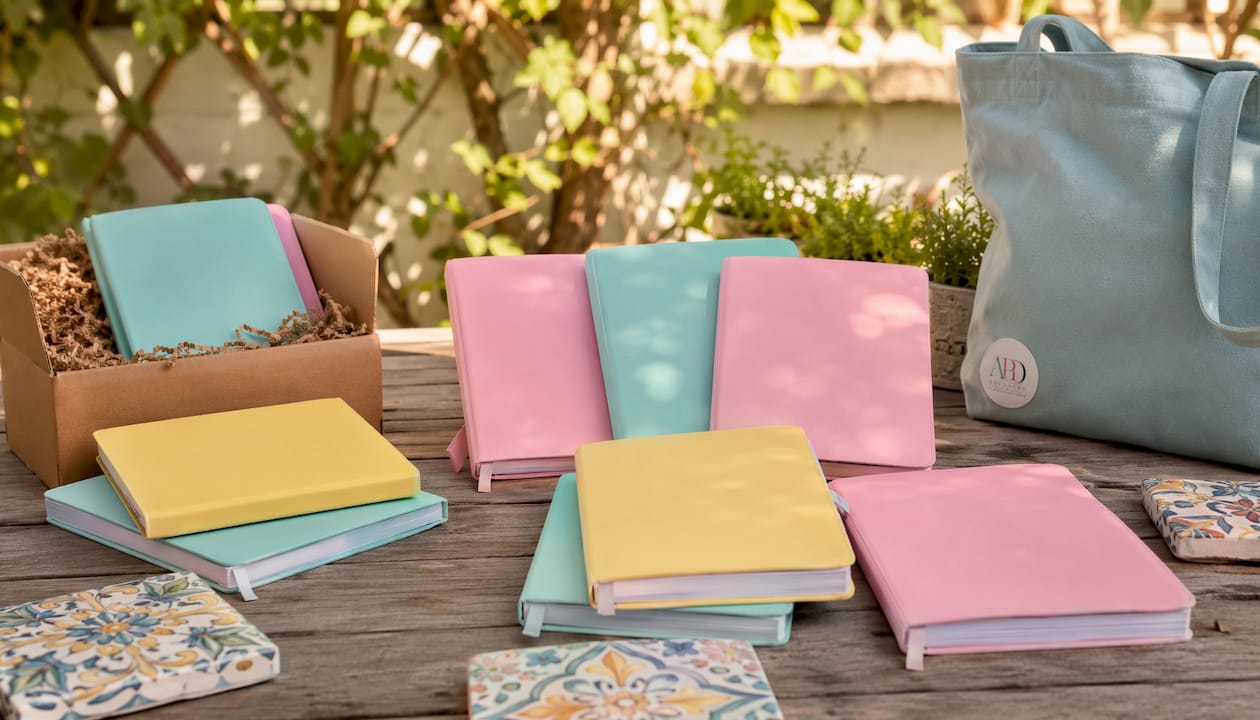
Printable PDFs are the fastest to produce. Export at 300 DPI, and buyers print at home or at a copy shop. Broad audience, lower price ceiling, but almost zero support burden once files are clean.
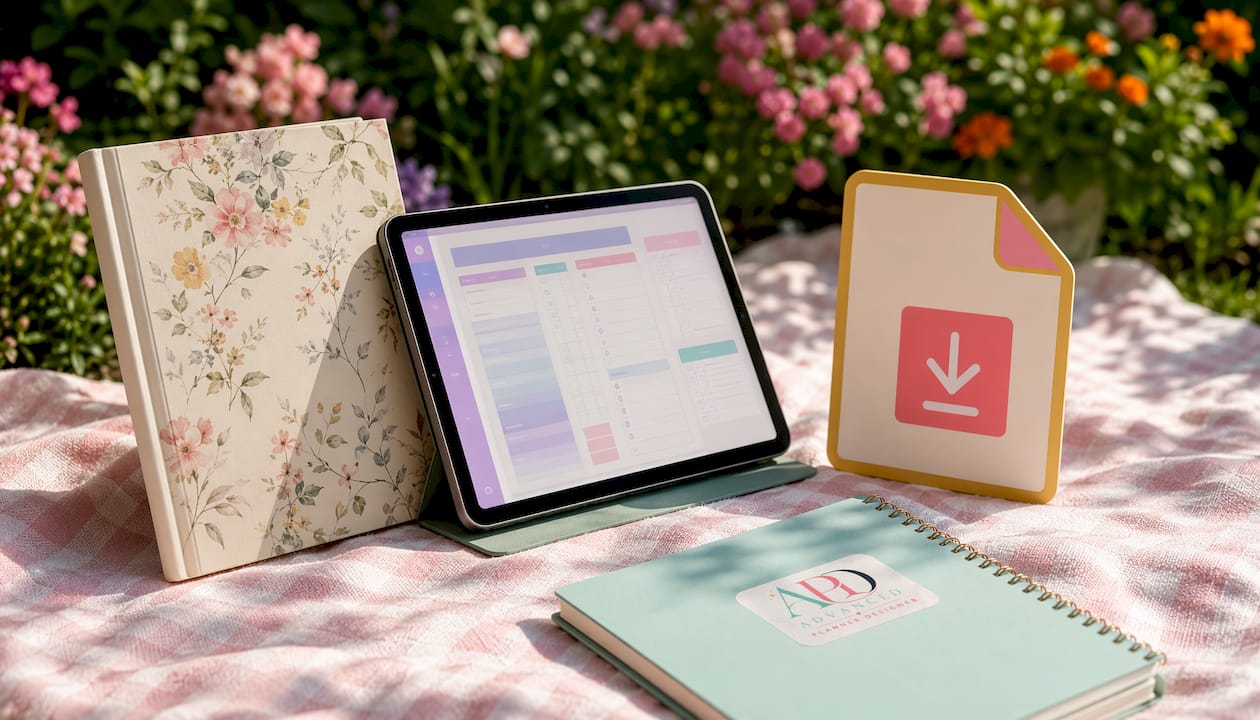
Interactive hyperlinked digital planners take longer to build because every tab, monthly spread, and return link needs to function correctly. The payoff is real: interactive planners typically sell in a higher price band ($10–$25+) and attract buyers willing to pay a premium for a system that works on their iPad. This is where the best margins live.
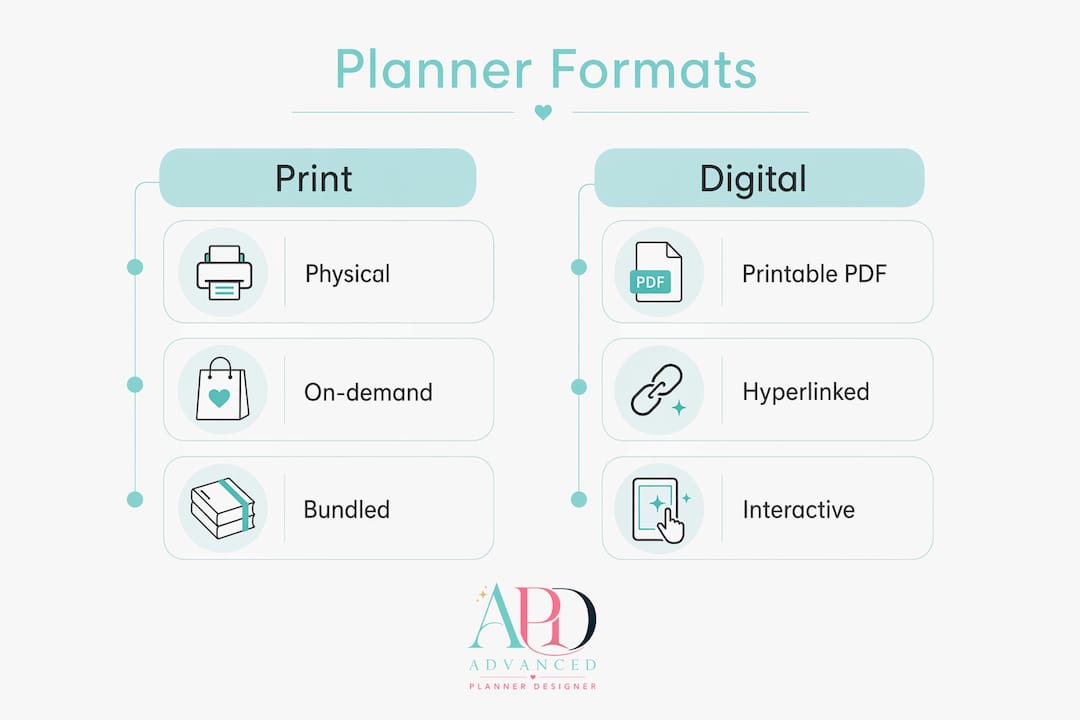
Physical print-on-demand planners (via a print partner) remove the printing burden from the buyer but add fulfilment complexity and longer lead times. Worth considering once you have a proven design, not as a first product.
Niche selection matters more than format. A generic “2026 weekly planner” competes with thousands of listings. A “nursing student clinical placement tracker with GoodNotes hyperlinks” competes with almost none. Top sellers target narrow audiences and add hyperlinked tabs as the premium differentiator — a planner is a system for a specific person, not just a pretty template.
To validate demand quickly, search your niche phrase on Etsy and filter by “Most Recent.” If listings with fewer than 50 reviews are still appearing in results, the niche has room. Cross-check on Pinterest: if people are saving planner content in that niche, there’s buying intent. Academic, budget, and profession-specific planners (teachers, nurses, small business owners) consistently outperform generic layouts.
Once you have a design that sells, offer it in multiple formats from the same listing: printable PDF, hyperlinked digital version, and an optional physical upgrade. Three revenue streams from one design is efficient. If you’re still deciding on your shop name, the Etsy shop naming guide covers how to pick something discoverable and brandable.
Design checklist and file specs that work for buyers worldwide
Good planner design isn’t about being pretty. It’s about being usable at a glance.
Design fundamentals checklist:
- Clear visual hierarchy: headers, subheaders, and body text at distinct sizes
- Consistent grid alignment across all page types (monthly, weekly, daily, trackers)
- Legible typography at typical tablet zoom levels (avoid fonts below 9pt in body areas)
- Adequate white space so buyers can actually write in the planner
- Matching cover design that signals the planner’s purpose immediately
App compatibility for hyperlinked planners:
- Build an index page with tappable tabs linking to each month or section
- Each monthly spread links forward to weekly pages and back to the index
- Every weekly page has a visible return link to its month
- Test the full navigation loop before exporting
File formats and sizing:
- Printable PDFs: export at 300 DPI, A4 and US Letter as separate files (or ZIPs by ratio)
- Hyperlinked planners: export as PDF with active links preserved
- Bundle multiple sizes into ZIP archives grouped by print ratio so each ZIP counts as one of your five allowed files
- Mockup images: PNG or JPG at 72–150 DPI for Etsy thumbnails
Asset list before you list:
- Final PDF(s) or hyperlinked planner file
- ZIP packs (A4 ratio, US Letter ratio, square/tablet ratio)
- Three to five preview images including a lifestyle mockup
- One-page buyer readme (import steps, app compatibility, troubleshooting contact)
Pro Tip: Use Canva to build your printable planner pages, then export as PDF. For hyperlinked versions, you’ll need a tool that preserves active links on export — Advanced planner designer handles this automatically.
How to test your planner and package the download properly
Testing is the step most new sellers skip. It’s also the step that prevents your first reviews from being one-star complaints about broken links.
File-testing checklist:
- Open the PDF on an iPad in GoodNotes — check every hyperlink taps correctly
- Repeat in Notability — link behaviour can differ between apps
- Verify tab navigation: index → month → week → return to month → return to index
- Check fonts render correctly (embed all fonts on export to avoid substitution)
- Zoom to 150% and confirm text and stroke weights are still legible
- Print one page at home or via a print shop to check margins and bleed
Testing in GoodNotes and Notability before listing is the single most effective way to avoid negative reviews caused by broken navigation. Most digital planner buyers use one of these two apps, so if your links work there, you’ve covered the majority of your audience.
Packaging for Etsy:
Use clear, descriptive file names buyers will understand immediately. For example: Weekly-Planner-A4-Printable.pdf, Digital-Planner-Hyperlinked-GoodNotes.pdf, Printable-Pack-US-Letter.zip. Avoid version numbers or internal codes in file names.
A simple folder structure inside each ZIP helps: one folder for A4 files, one for US Letter, one for the readme. Buyers who download a clean, well-named ZIP feel confident they’ve received a professional product.
Buyer readme contents:
- Compatible apps (GoodNotes 5/6, Notability, PDF Expert)
- Step-by-step import instructions for GoodNotes (the most common app)
- What to do if links don’t work (check app version, re-import)
- Your contact email or Etsy message link for support
How do you write an Etsy listing that actually gets found?
Your listing title is your primary SEO asset. Front-load it with the format, app compatibility, and audience before anything else. A title like “Digital Planner for GoodNotes — Student Weekly + Monthly with Hyperlinked Tabs” tells Etsy’s algorithm and the buyer exactly what they’re getting in the first few words.
Use all 13 tags and fill them with real buyer search phrases, not clever product names nobody searches for. Mix broad terms (“digital planner”, “printable planner PDF”) with long-tail phrases (“nursing student planner GoodNotes”, “academic weekly planner hyperlinked”). Include format and audience phrases in at least half your tags.
Thumbnail and preview strategy:
- Lead image: lifestyle mockup of the planner open on an iPad or printed on a desk
- Second image: close-up of a key spread (weekly layout, dashboard, tracker)
- Third image: overview graphic listing every included file, size, and compatible app
- Fourth image: screenshot of the hyperlinked tab navigation in action
That overview image is worth particular attention. An infographic-style image that lists exactly what buyers get significantly improves conversion by removing uncertainty before purchase. Buyers who know precisely what they’re downloading are far less likely to request a refund.
Description checklist:
- First 160–220 characters: include your primary keyword phrase and the key benefit
- File list: exact page count, formats included, sizes available
- Compatible apps named explicitly (GoodNotes 5, GoodNotes 6, Notability, PDF Expert)
- Printing instructions for printable versions
- Short import guide (three to five steps)
- FAQ block covering the three most common buyer questions
- Clear digital download policy (no refunds on digital files, but you’ll fix broken files)
Pro Tip: Add a pinned shop announcement for new releases and seasonal updates. Buyers who’ve purchased before will see it, and it signals to new visitors that your shop is active.
For a faster path to SEO-ready titles and tags, the AI listing generator guide explains how to use AI tools to generate high-converting listing copy.
Pricing, Etsy fees, and Australian GST: a worked example
Get this wrong and you’ll work hard for almost nothing. Get it right and even a modest volume of sales becomes genuinely profitable.
Core Etsy fees per sale:
- Listing fee: USD $0.20 per listing (charged when you publish or renew)
- Transaction fee: 6.5% of the sale price (including shipping if charged)
- Payment processing fee: approximately 3–4% plus a small flat fee (varies by country)
- Offsite ads: 12–15% on sales attributed to Etsy’s off-platform ads; shops under USD $10,000 annual revenue can opt out
Australian GST obligations:
If your GST turnover reaches AUD $75,000 in a 12-month period, you must register for GST and charge 10% on taxable sales to Australian customers. Etsy does not collect GST on your behalf for domestic sales — that’s your responsibility. The good news: Etsy’s fees to Australian sellers include 10% GST, which registered sellers can claim as input tax credits on their BAS.
Fee breakdown by price point:
| Sale price (AUD) | Listing fee | Transaction fee (6.5%) | Payment processing (~3.5%) | Net before GST |
|---|---|---|---|---|
| — | $0.31 | — | — | — |
| — | $0.31 | — | — | — |
| — | $0.31 | — | — | — |
Listing fee converted at approximate AUD rate. Payment processing varies; figures are indicative.
Worked example: a $20 AUD sale
Sale price: $20.00 Listing fee: ~$0.31 Transaction fee (6.5%): $1.30 Payment processing (~3.5%): $0.70 Total fees: ~$2.31 Net revenue: ~$17.69
If you’re GST-registered, $1.82 of that $20 is GST you’ll remit on your BAS. Your actual net is closer to $15.87 before income tax. That’s still a healthy margin on a digital file with minimal costs — but it shows why pricing under $10 leaves almost nothing after fixed fees. Bundles and comprehensive systems priced at $20+ are where the numbers work.
Which promotion channels drive consistent planner sales?
Pinterest is the highest-ROI channel for planner sellers. Pins have a long shelf life and attract high-intent searchers who are already in planning mode. Create vertical pins (1000 × 1500 px) with step-by-step images of your planner pages, keyword-rich descriptions, and a direct link to your Etsy listing. Repin consistently; accounts that post three to five times per week build traffic faster.
TikTok and Instagram Reels work differently — they’re discovery channels, not search channels. Short clips showing your planner in use (flipping through pages, demonstrating hyperlinks on an iPad, showing a weekly spread being filled in) generate saves and profile visits that convert over time. The content doesn’t need to be polished; authentic and useful outperforms produced.
Email is the channel most new sellers ignore and experienced sellers swear by. Offer a free sample page as a download magnet to capture email addresses. When you launch a new planner or run a seasonal promotion, that list converts at a far higher rate than cold traffic.
Practical promotion checklist:
- Create three to five Pinterest pins per listing, each with a different angle (lifestyle, close-up, overview)
- Post one TikTok or Reel per week showing planner use or creation process
- Set up an email magnet (free sample page) linked from your Etsy shop announcement
- Run bundle promotions for seasonal launches to lift average order value
- Track listing traffic and conversion in Etsy Shop Stats monthly; iterate titles and tags based on what’s working
Pro Tip: Launch timing matters. Release annual planners in September–October for end-of-year sales. Academic planners sell best June–July. Undated planners sell year-round with a January spike.
For sellers ready to diversify beyond Etsy, the digital art marketplace alternatives guide covers where else your planner listings can earn.
Common beginner mistakes that cause refunds and bad reviews
Most early negative reviews trace back to one of five avoidable errors.
The mistakes and how to fix them:
- Broken hyperlinks: test every link in GoodNotes and Notability before listing. One broken tab link generates a support message; multiple broken links generate a one-star review.
- File sizes that won’t open on tablets: keep individual PDFs under 20 MB. If your planner is large, split it into sections or compress images before export.
- Vague descriptions: “digital planner with lots of pages” tells a buyer nothing. Name every file, every page type, every compatible app. Ambiguity creates refund requests.
- Underpricing: a $5 planner signals low quality and leaves almost no margin after fees. Price for the value of the system, not the cost of the file.
- Skipping tags: leaving any of the 13 tags empty is leaving discoverability on the table. Fill all 13 every time.
Customer service for digital products:
Respond to messages within 24 hours. When a buyer reports a broken file or a compatibility issue, fix it and resend before offering a refund. Most buyers just want the product to work. A quick “here’s the updated file” response often turns a frustrated buyer into a five-star reviewer. Keep a short troubleshooting FAQ pinned in each listing description so buyers can self-serve before messaging you.
Set a clear digital download policy in your shop: no refunds on digital files once downloaded, but you’ll replace or fix any file that doesn’t work as described. This protects you while still being fair to genuine technical issues.
What’s a realistic timeline and income for a new planner shop?
The honest answer: slower than most YouTube videos suggest, but faster than most physical product businesses.
Typical timeline:
- Weeks 1–3: design and list your first MVP planner (one format, one niche)
- Weeks 2–8: first organic sale, assuming decent SEO and some Pinterest activity
- Months 3–6: reliable recurring income with five or more listings and consistent promotion
- Month 6+: scaling with seasonal launches, bundles, and a growing email list
Earnings ranges:
Early shops with one to three listings typically earn US$100–$1,000 per month once they have traction. Scaled shops with 20+ listings, strong Pinterest presence, and seasonal launches reach US$1,000–$10,000+ per month. The gap between those bands comes down to niche specificity, pricing discipline, and promotion consistency — not luck.
A three-listing shop with an average order value of $20 AUD and a 2% conversion rate needs roughly 150 listing views per month to generate three sales ($60 revenue). At 500 views per month across three listings, those are ten sales and $200 revenue. Neither number is life-changing, but both are achievable within the first three months with active Pinterest promotion and solid SEO.
The shops that scale quickly share one habit: they iterate. They check Etsy Shop Stats weekly, update underperforming titles and tags, and add new listings every month. Volume of listings and quality of SEO compound over time.
How Advanced planner designer speeds up creating sellable planners
Building a listing-ready planner from scratch — structure, cover, stickers, mockups, hyperlinks, ZIP exports — typically takes days. Advanced planner designer compresses that to hours.
APD’s AI generates planner structures with intelligent layouts, matching covers, guided content, and hyperlinked tab navigation. You get a complete kit: planner pages, cover designs, sticker sets, and mockup images, all export-ready. The platform also generates listing descriptions and title suggestions, so you’re not starting from a blank Etsy form.
From idea to listing-ready in one session. Advanced planner designer generates the planner structure, matching cover, sticker set, and mockup images together — then exports a ZIP ready to upload directly to Etsy. Over 10,000 creators have used APD to generate more than one million products, cutting the production time that typically keeps new sellers stuck before their first listing goes live.
The Make Sellable workflow is built specifically for Etsy sellers: it produces hyperlinked planners with working tab navigation, generates lifestyle mockups for thumbnails, and packages assets into ZIP files sized for Etsy’s upload limits. For creators who’ve been putting off launching because the production side feels too slow, APD removes that bottleneck.
Practical tools for Australian sellers to use right now
You don’t need an expensive stack. These tools cover the full production and business workflow.
Design and creation:
- Advanced planner designer: AI-generated planner structures, covers, stickers, mockups, and ZIP exports in one platform — the fastest path from idea to listing-ready kit
- Canva Pro: fast template-based design for printable planners; exports clean PDFs
- Affinity Publisher 2: one-time purchase, professional layout tool for complex multi-page planners
- Adobe InDesign: industry standard for print-ready layouts; subscription-based
Testing and file utilities:
- GoodNotes 6 (iPad): primary testing environment for hyperlinked planners
- Notability (iPad): secondary test; link behaviour differs slightly from GoodNotes
- PDF Expert: useful for checking link integrity on desktop before tablet testing
- Keka (Mac) / 7-Zip (Windows): create clean ZIP archives grouped by print ratio
Business and compliance:
- Etsy fee calculators (search “Etsy fee calculator” for current browser-based tools): run pricing scenarios before you set a price
- Sprintlaw’s GST guide for Etsy sellers: the clearest plain-English explanation of when and how GST applies to your Etsy shop
- Australian Taxation Office (ATO) BAS portal: lodge your BAS and claim input tax credits on Etsy’s GST-inclusive fees
- My Planners Hub (MPH): ready-made digital planners and planning resources for sellers who want to study what a polished, finished product looks like before building their own
Printable vs physical planners: packaging and delivery
For printable planners, delivery is automatic through Etsy’s digital download system. The buyer pays, Etsy delivers the file, and you’re done. Your job is to make sure the ZIP is clean, the files are named clearly, and the readme explains exactly how to print (paper size, scaling settings, whether to print double-sided). Include a note about recommended paper weight (80–100 gsm for everyday use, 120 gsm for a premium feel).
Physical planners work differently. You either print and ship yourself, or use a print-on-demand partner. Self-fulfilment gives you full quality control but requires inventory, packaging materials, and trips to the post office. Print-on-demand removes that burden but reduces your margin and adds lead time. For Australian sellers, local print-on-demand options reduce shipping times significantly compared to overseas fulfilment partners.
A practical middle path: sell the digital version as your primary listing, then offer a “printed and shipped” upgrade as a separate listing at a higher price point. Buyers who want the convenience of a physical product will pay for it; buyers who want instant access buy the digital version. You serve both without committing to inventory upfront.
Packaging for physical orders matters for reviews. Use a rigid mailer to prevent bending, include a thank-you card with a QR code linking to your digital version (a useful upsell), and ship with tracking. Buyers who receive a damaged planner leave reviews about the packaging, not the design.
Customer service habits that protect your Etsy shop rating
Your shop’s star rating is a conversion asset. A 4.8-star shop converts at a meaningfully higher rate than a 4.2-star shop, and the difference usually comes down to how quickly and helpfully you handle the first twenty support messages.
For digital planners, the most common support requests are: “my links don’t work,” “I can’t find my download,” and “the file won’t open on my device.” Prepare a saved reply for each. When a buyer reports a broken link, fix the file, upload the corrected version, and send the updated file directly via Etsy messages. Don’t wait for them to re-download; proactively send it.
Respond within 24 hours, always. Etsy’s Star Seller programme rewards fast response rates, and that badge increases buyer confidence at the listing level. Even a brief “I’ve seen your message and I’m looking into it now” response stops the clock and reassures the buyer.
For reviews, never ask directly for a five-star rating — Etsy’s policies prohibit it. Instead, include a short note in your readme: “If you enjoy your planner, a review helps other buyers find it.” That’s compliant and effective.
Legal considerations for planner content: copyright and licensing
Your planner design is automatically protected by copyright the moment you create it. You don’t need to register it. What you do need to be careful about is what goes into your design.
Fonts: free fonts from Google Fonts are safe for commercial use. Many fonts on free download sites are personal-use only — using them in a product you sell is a licence violation. Always check the font licence before using it in a listing. Commercial licences for quality fonts are worth the cost.
Graphics and illustrations: the same rule applies. Stock graphics, icons, and illustrations need a commercial licence that explicitly permits use in digital products for resale. Canva’s Pro licence covers most of its elements for commercial use, but read the specific terms for any element you use in a product sold on Etsy.
Planner content: if your planner includes quotes, you need to verify they’re in the public domain or that you have permission to use them. Many widely shared “inspirational quotes” are still under copyright.
Protecting your own work: watermark your preview images so buyers can’t screenshot and use them without purchasing. Include a copyright notice in your readme: “This planner is for personal use only. Redistribution, resale, or sharing of files is not permitted.” It won’t stop every bad actor, but it sets clear expectations and gives you grounds to report infringement to Etsy.
This article is general information, not legal advice. For questions specific to your situation, consult a qualified Australian intellectual property lawyer or a business adviser familiar with digital product licensing.
Key takeaways
Selling planners on Etsy profitably requires the right format, clean files, strong SEO, and pricing that covers fees and GST from day one.
| Point | Details |
|---|---|
| Choose format and niche first | Pick printable PDF, hyperlinked digital, or both — then target a specific audience (nursing students, teachers, small business owners) rather than a generic layout. |
| Test in GoodNotes and Notability | Broken hyperlinks are the leading cause of negative reviews; test every navigation link before your listing goes live. |
| ZIP by ratio, use all 13 tags | Bundle files into ZIPs grouped by print ratio to stay within Etsy’s five-file limit, and fill all 13 tags with real buyer search phrases. |
| Price above a threshold and bundle | Pricing too low leaves almost no margin after Etsy’s fixed fees; well-priced bundles absorb fees and lift average order value. |
| Register for GST at $75,000 turnover | Australian sellers must charge 10% GST on domestic sales once turnover hits AUD $75,000; Etsy’s fees include GST you can claim back on your BAS. |
| Advanced planner designer cuts production time | APD generates planner structures, covers, mockups, and export-ready ZIPs in one session, helping you get from idea to listing faster. |
What actually moves the needle in a planner shop
Most advice about selling planners on Etsy focuses on the listing. The real leverage is in the product decision made before you open Canva.
The shops I’ve watched grow quickly all made the same early call: they picked a person, not a product. Not “I’ll make a weekly planner” but “I’ll make a planner for Australian nursing students on clinical placement.” That specificity shapes every decision downstream — the page types you include, the tags you use, the Pinterest boards you post to, the price you can charge. A generic planner competes on aesthetics. A specific planner competes on fit, and fit wins.
The other habit that separates growing shops from stalled ones is the overview image. Adding a single infographic-style image that lists every included file, size, and compatible app — clearly, with no design flair getting in the way — consistently improves conversion. Buyers don’t want to read the description to find out what they’re getting. Put it in the image. That one change, made after a listing has been live for a few weeks with low conversion, has materially lifted sales for creators I’ve worked with through APD.
Launch early for seasonal planners. September for annual planners, June for academic. Don’t wait until the season is obvious — by then, the established listings have already captured the search traffic.
Advanced planner designer gets you from idea to listing faster
The production bottleneck — building planner pages, matching covers, stickers, mockups, and ZIP exports — is what keeps most new sellers stuck. Advanced planner designer removes it.

APD’s AI generates a complete, sellable planner kit in one session: structured pages with intelligent layouts, a matching cover, sticker set, and lifestyle mockups ready for your Etsy thumbnails. The Make Sellable workflow produces hyperlinked planners with working tab navigation and packages everything into ZIP files sized for Etsy’s upload limits. You skip the hours of manual file prep and go straight to listing.
Over 10,000 creators have used APD to generate more than one million products. The platform also generates listing titles and descriptions, so your SEO copy is ready alongside your files. Check the APD pricing plans to find the option that fits where you are right now — whether you’re listing your first planner or scaling to twenty.
Useful sources and official references
Bookmark these pages before you list your first planner. They’re the primary references for the fee calculations, GST guidance, and upload limits covered in this article.
- Sprintlaw — Etsy GST in Australia: plain-English breakdown of when GST applies to your Etsy shop, how to set GST-inclusive pricing, and how to claim input tax credits on Etsy’s fees via your BAS
- ATO Business Activity Statement portal: lodge your BAS, check GST registration thresholds, and access the ATO’s official guidance on digital product sales
- SnapToSize — Etsy upload limits and ZIP strategy: explains the five-file, 20 MB-per-file limit and how to use ZIP archives to deliver more files within that constraint
- CartMango — Selling digital planners online: practical SEO and promotion guidance including tag strategy and Pinterest for planner traffic
- Etsy Help Centre (search “digital downloads”): Etsy’s own documentation on setting up digital listings, delivery settings, and buyer download troubleshooting