How to create a digital product and sell it fast
How to create a digital product and sell it fast
Find a specific buyer problem, validate it quickly, build the smallest version that solves it, package it well, and put it in front of buyers. That’s the whole sequence. A simple checklist or template can go from idea to listed product in two to three days. A short ebook or planner typically takes a brief amount of time to create. If you’re building planners, journals, or printable kits, Advanced Planner Designer (APD) cuts that timeline dramatically by generating structure, covers, mockups, and export files in one place.
Here’s the roadmap at a glance:
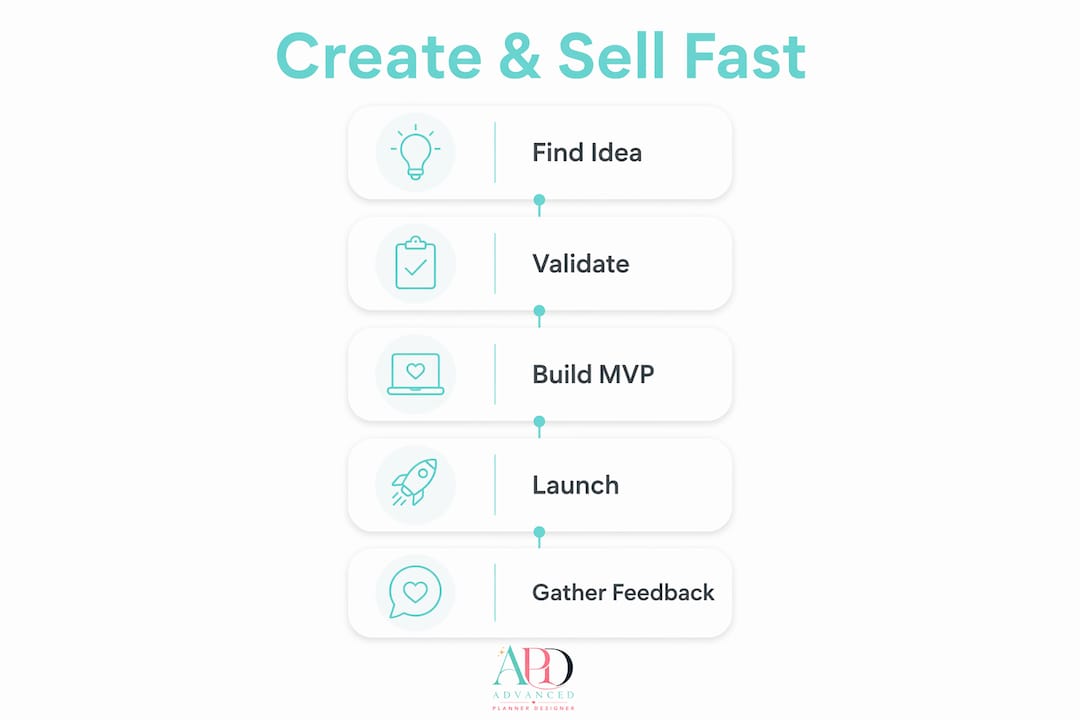
- Validate first — confirm buyers want it before you build anything
- Pick the smallest format that solves the problem completely
- Build an MVP — a testable file, not a polished masterpiece
- Package and price it — bundle, mockup, and set a fair launch price
- Sell and iterate — list it, get feedback, improve the next version
The steps below unpack each stage with practical tools, timing estimates, and real examples you can act on today.
Table of Contents
- How do you find a digital product idea people will actually pay for?
- Which product format should you build first?
- How to outline and build your MVP in days, not weeks
- What file formats and design choices actually work?
- How should you price and package your first digital product?
- Where should you sell your digital products?
- What does a practical launch plan look like?
- What should you do after your first sale?
- How Advanced Planner Designer helps creators ship faster
- Key takeaways
- The habit that beats polishing every time
- Ready to build your first planner or printable kit?
- Useful sources and tools for further reading
How do you find a digital product idea people will actually pay for?
The best digital products start with a repetitive frustration, not a clever concept. Think about a task someone does weekly that still feels clunky, or a question you get asked constantly. That friction is your product idea.

Write your problem statement in one sentence using this template: “[Specific person] struggles to [do specific task] because [root cause], so they [current workaround].” For example: “Freelance designers struggle to track client invoices because they use a mix of spreadsheets and emails, so they manually chase payments every month.” That sentence becomes your product brief.
Validation checklist before you build
Validation should happen before development, not after. Run through these checks first:
- Search signals — type your problem into Google, Pinterest, and Etsy. If autocomplete fills in the rest, demand exists.
- Marketplace evidence — search Etsy for similar products. If listings have reviews, buyers are spending money in that niche.
- Fast interviews — message five people in your target group. Ask: “How do you currently handle [problem]?” Listen for workarounds.
- Landing page or waitlist — build a one-page site describing the product and collect email signups. Pre-selling or a waitlist is the fastest signal of real demand.
- Pre-sell — offer the product at a discounted price before it exists. If people pay, you’ve validated it. If nobody bites, you’ve saved weeks of work.
Pro Tip: Give a rough draft file to five people and ask one specific question: “Where did you get stuck using this?” That single question reveals more real friction than any survey.
Which product format should you build first?
The format should match the type of problem, not your personal preference. Checklists, mini ebooks, and templates consistently perform well for first-time sellers because they solve immediate problems with minimal build time.
Here’s a quick map:
- Checklist — best for execution problems (“I forget steps”). Fastest to build, often one to two pages.
- PDF guide or short ebook — best for understanding problems (“I don’t know how”). Three to fifteen pages, structured around a clear outcome.
- Template (Canva, Google Docs, Notion) — best for repetitive tasks (“I redo this every week”). Editable files that save the buyer time.
- Planner or journal — best for habit and organisation problems. Higher perceived value, especially with covers and stickers.
- Printable pack — best for visual or activity-based needs. Bundles well with other formats.
- Mini-course or workshop — best for skill gaps. Higher price point, longer to build.
- Asset pack (icons, stickers, wallpapers) — best for creative buyers. Pairs well with planners.
Scope rules to avoid scope creep
Scope creep is the most common failure point for first products. Treat your MVP as a system that solves one specific workflow, not a feature set. Before you start building, answer these questions:
- What is the single outcome the buyer gets?
- What is the minimum number of pages, modules, or files needed to deliver that outcome?
- What can be added in version two?
Write those answers down and don’t touch them until version one is shipped.
How to outline and build your MVP in days, not weeks
A good MVP is a version that focuses on delivering real value by concentrating on the essential features. Modern product development frameworks treat the MVP as a live experiment, not a finished product.
Use this outline template for any format:
- Outcome statement — one sentence: “After using this, the buyer will be able to [specific result].”
- Steps or sections — list the three to five stages the buyer moves through.
- Example pages or modules — sketch one example per section so you know what “done” looks like.
- Acceptance criteria — what does a completed, testable file look like? Define it before you start.
Practical build timeline
- Checklist or one-page template — one day to draft, one day to design in Canva, one day to test and export.
- Short ebook or PDF guide (five to ten pages) — two days to write, one day to design, one day to review.
- Planner or journal — two to three days with APD’s AI planner generator, which handles structure, layout, and export automatically.
Tools like Canva and AI drafting assistants accelerate both the writing and design phases. Use Canva for visual layouts, Google Docs for text-heavy guides, Notion for template-style products, and APD for planners, journals, and printable kits.
After your first draft, give it to five testers and ask: “Where did you get stuck?” and “What did you expect to find that wasn’t there?” Those two questions will surface the fixes that matter most.
What file formats and design choices actually work?
Clarity beats polish every time. Buyers prioritise function and result over aesthetic perfection, especially in early versions. A well-structured PDF that guides the buyer step by step will outsell a beautiful file that confuses them.
File format comparison
| Format | Best for | Delivery notes |
|---|---|---|
| PDF (static) | Guides, checklists, workbooks | Easy to deliver, works on all devices, not editable |
| Editable Canva file | Templates, planners, journals | Share via Canva link; buyer needs a free Canva account |
| PNG/JPG | Printables, stickers, wallpapers, mockup images | High resolution (high dpi for print); large file sizes |
| Hyperlinked PDF | Digital planners with tab navigation | Requires hyperlink setup; APD handles this automatically |
| Notion or Google Docs export | Workflow templates, trackers | Duplicate-and-use model; free for buyers |
Design rules that reduce refunds
- Use consistent fonts (two maximum) and a clear colour palette.
- Put navigation cues on every page of a planner so buyers never feel lost.
- Include a “how to use this” page at the start of any template or planner.
- Test your file on a phone screen before listing it — many buyers open downloads on mobile.
Pro Tip: Before uploading to any marketplace, open your final file on a different device and complete the first task it asks of you. If you get confused, your buyer will too.
For Australian creators, Canva’s free and Pro plans are fully available locally, and APD’s export tools produce marketplace-ready files without needing additional software. Gumroad and Etsy both accept PDF, ZIP, and PNG uploads with no region restrictions.
How should you price and package your first digital product?
Underpricing is a common mistake first-time sellers make. Bundling a checklist with bonus templates and mockups tends to increase perceived value and conversion.
Here are practical starting points:
- Single checklist or one-pager — $5–$12 AUD
- Short ebook or PDF guide (five to fifteen pages) — $12–$29 AUD
- Template pack (three to five files) — $18–$45 AUD
- Planner or journal (with cover and hyperlinks) — $15–$35 AUD
- Full bundle (planner + stickers + wallpapers + mockups) — $29–$65 AUD
Packaging ideas that lift perceived value without extra build time: add a quick-start guide, include two or three bonus pages, create a mockup image showing the product in use, and write a short FAQ inside the file itself.
Start-up costs and fees to factor in
- Canva Pro — approximately $19.99 AUD/month (free plan available)
- Etsy listing fee — USD $0.20 per listing (billed in USD regardless of your location)
- Etsy transaction fee — 6.5% of the sale price
- Gumroad — 10% of each sale on the free plan
- Stripe or PayPal — standard processing fees apply for direct sales
Tax note: If you’re earning income from digital product sales in Australia, you may have obligations under the ATO’s income tax and GST rules. Speak with a registered tax agent or accountant to confirm your specific obligations before you scale. This article is general information, not tax advice.
Where should you sell your digital products?
The right channel depends on your audience size and how much setup time you want to invest upfront. A simple product page needs a clear headline, a concise outcome statement, product visuals, and a single call to action — you don’t need a complex funnel for your first sale.
Here’s a quick breakdown of common options:
- Etsy — built-in search traffic, trusted checkout, low setup effort. Best for printables, planners, templates, and sticker packs. Fees apply per listing and per sale.
- Gumroad — fast to set up, handles delivery automatically, no monthly fee. Good for ebooks, guides, and template packs. Takes 10% per sale on the free plan.
- Shopify — full control over branding and customer data, monthly subscription required. Better once you have consistent traffic.
- Direct via payment link (Stripe, PayPal) — zero platform fees beyond processing, but you handle delivery manually or via a tool like Dropbox or Google Drive.
For most beginners, Etsy or Gumroad is the fastest path to a first sale. Both handle automatic delivery after purchase, which means the buyer gets their file instantly without you doing anything.
Delivery setup checklist
- Upload your final file and confirm the download link works before going live.
- Test the purchase and download flow on both desktop and mobile.
- Set a download limit (Etsy handles this automatically; Gumroad lets you configure it).
- Write a short “what’s included and how to use it” note in your listing description.
- Check that your file opens correctly on iOS, Android, and Windows.
For marketplace alternatives beyond Etsy, the APD blog covers four strong options worth reviewing before you commit to a platform.
What does a practical launch plan look like?
You don’t need a big audience to get first sales. You need proof, visibility, and a reason to buy now.
Pre-launch checklist
- Create two to three mockup images showing the product in a realistic setting.
- Write your listing title and description with the buyer’s outcome front and centre.
- Post a “coming soon” or preview on one social channel to warm up interest.
- Email your existing list (even if it’s small) with a pre-launch discount.
- Set your launch price slightly lower than your target price for the first week.
Simple email sequence (three to five messages)
- Welcome — confirm the subscriber’s interest and tell them what’s coming.
- Soft pitch — describe the problem the product solves and who it’s for.
- Proof — share a screenshot, a preview page, or a tester’s specific feedback.
- Urgency/close — launch day email with the link and a time-limited offer.
- Follow-up — two days later, address a common objection or share a use-case example.
Low-cost marketing tactics that actually work
- Pinterest — pin your mockup images with keyword-rich descriptions. Pinterest drives consistent long-tail traffic to Etsy and Gumroad listings.
- SEO content — write one blog post or YouTube description that answers the question your product solves. Link to your listing.
- Niche communities — share your product in Facebook groups, Reddit threads, or Discord servers where your buyer hangs out. Lead with value, not a sales pitch.
- Short tutorials — post a 60-second video showing one thing the buyer can do with your product. Link to the listing in the caption.
What should you do after your first sale?
Launch is only the start. The post-launch period is where feedback yields the most valuable product improvements. Don’t wait for a hundred sales before you start asking questions.
Feedback template
Send this to your first five buyers: “Thanks so much for your purchase! I’d love to make this even better. Can you tell me: (1) What did you use it for? (2) Was there anything confusing or missing? (3) What would make it a 10/10?”
Short, specific, easy to answer. Most buyers will respond if you ask within 48 hours of purchase.
Prioritisation rules
Fix issues using the frequency × severity rule: if something confuses most buyers (high frequency) and stops them getting value (high severity), fix it in the next version. Low-frequency, low-severity issues go on the backlog.
Metrics to watch
- Conversion rate — views to sales on your listing. Under 1% usually means your mockup or title needs work.
- Refund rate — above 3–5% signals a gap between what buyers expected and what they received.
- Repeat buyers — if someone buys twice, you’ve found a loyal customer worth building a bundle for.
- Search ranking — track which keywords drive views on Etsy or Google and double down on those terms.
How Advanced Planner Designer helps creators ship faster
For planner, journal, and printable creators, Advanced Planner Designer compresses the build phase from days to hours. The platform has supported over 10,000 creators in generating over one million products, which gives it a track record most single-tool solutions can’t match.
Here’s what APD handles in one workflow:
- AI planner generator — input your niche and outcome, and APD builds a structured planner layout with intelligent page sequencing.
- Cover generator — creates scroll-stopping covers matched to your planner’s theme and colour palette.
- Mockup generator — produces listing-ready product images without needing Photoshop or a separate mockup tool.
- Sticker and colouring book tools — add bonus assets to your kit without switching platforms.
- Hyperlinked PDF export — APD adds tab navigation automatically, which is the feature buyers expect in premium digital planners.
Mini workflow: idea to published listing
- Define your niche and buyer outcome (15 minutes).
- Use APD’s AI planner generator to generate structure, pages, and cover (under 30 minutes).
- Make quick edits to personalise content and branding (30–60 minutes).
- Generate mockup images inside APD (10 minutes).
- Export and upload to Etsy or Gumroad (15 minutes).
Total time from idea to listed product can be a few hours for a standard planner kit.
Key takeaways
The fastest path to a first digital product sale is: validate the problem before you build, scope the MVP tightly, ship a testable file within days, and iterate based on real buyer feedback.
| Point | Details |
|---|---|
| Validate before building | Use a waitlist, pre-sale, or five quick interviews to confirm buyers will pay before you invest build time. |
| Scope the MVP tightly | One outcome, one format, minimum pages. Defer everything else to version two. |
| Ship in days, not weeks | Checklists and templates take two to three days; planners take two to three hours with APD. |
| Price with packaging | Bundle a bonus template or mockup to lift perceived value and justify a higher price point. |
| Advanced Planner Designer | APD generates planner structure, covers, mockups, and hyperlinked exports in one session, cutting production time from days to hours. |
The habit that beats polishing every time
Most creators I talk to are waiting until their product feels ready. The problem is that “ready” keeps moving. You add a page, then another, then redesign the cover, then decide the whole thing needs restructuring. Weeks pass and nothing is listed.
The habit that actually works is a timeboxed creation sprint. Set a timer for 90 minutes and build only what fits inside that block. When the timer stops, you stop. What you have at the end of that sprint is your MVP candidate. It won’t be perfect. It will be testable, and that’s what matters at this stage.
Speed and feedback beat polish early on because buyers tell you what the product actually needs, not what you imagine it needs. The version you ship after three rounds of real feedback will be far better than the version you’d have built alone over six weeks. Ship the ugly version. Fix it fast. The market is a better editor than perfectionism.
Ready to build your first planner or printable kit?
If planners, journals, or printable packs are your product type, Advanced Planner Designer gives you a concrete advantage over building from scratch in Canva alone. Instead of assembling covers, layouts, stickers, and mockups from separate tools, APD generates a complete, sellable kit in a single session.

The AI planner generator handles structure and hyperlinks. The cover generator produces listing-ready visuals. The mockup tool creates the product images your Etsy listing needs to convert. You get a ready-to-list kit without the tool-juggling. Check the APD pricing plans to find the right option for where you’re starting, and if you want a library of professionally designed planners to use or sell immediately, My Planners Hub is worth bookmarking alongside it.
Useful sources and tools for further reading
These resources support the steps covered in this guide and give you quick paths to platform documentation, validation frameworks, and creator tools available in Australia.
- How to Create Your First Digital Product (Step-by-Step for Beginners) — a practical walkthrough of the standard creation sequence; useful for cross-checking your own workflow against common beginner steps.
- The Complete Guide to Digital Product Development in 2026 — covers discovery, validation, MVP, and iterative growth frameworks; good background reading before you scope your first product.
- How to Make Digital Products: A Complete Guide 2026 — strong on pre-selling, waitlists, and product page structure; directly applicable to the launch and packaging steps.
- How to Build a Digital Product From Scratch (April9) — an Australian-focused guide covering no-code validation and manual fulfilment; relevant for local founders testing demand before committing to a build.
- How to Create Digital Products in 2026: Step-by-Step Guide (FelloAI) — creator-focused workflow with a practical seven-step structure and guidance on using AI for drafts and mockups.
- 15+ Best Digital Product Ideas to Earn Passive Income (Easy Digital Downloads) — a curated list of beginner-friendly formats with marketplace performance context; useful when deciding which product type to build first.
- Create and Sell Digital Products with ChatGPT and Canva (Udemy) — a practical course combining AI drafting with Canva design workflows; good for creators who want guided practice with both tools.
- Advanced Planner Designer — AI Planner Generator — APD’s core creation tool for planners, journals, and printable kits; the fastest way to go from niche idea to a marketplace-ready file.
- APD Blog: Top 4 Digital Art Marketplace Alternatives — a comparison of selling platforms beyond Etsy; useful when deciding where to list your product.
- ATO — Income from digital products and online sales — the primary source for Australian tax obligations on digital product income; check here or with a registered tax agent before you scale.